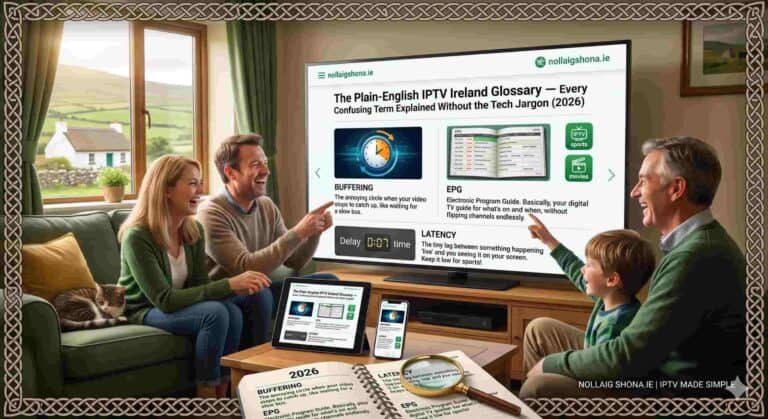
You’re trying to set up IPTV and suddenly you’re drowning in acronyms. M3U. Xtream Codes. EPG. VOD. MAG. Buffering. CDN. The support fella sends you a message saying “just enter your M3U URL into the app and the EPG will populate” and you’re sitting there thinking he might as well be speaking Klingon.
Here’s the thing — none of this is actually complicated once someone explains it in normal language. The IPTV world is full of jargon that makes simple concepts sound technical, and that jargon puts people off something that’s genuinely easy to use. So this guide strips it all back. Every term you’ll encounter when setting up or using IPTV Ireland, explained the way you’d explain it to a mate over a pint. No condescension, no assumed knowledge, just clear answers.
Bookmark this page. Next time a setup guide or a support message throws a term at you that makes no sense, come back here and you’ll have it sorted in seconds. Let’s translate the jargon into plain English.
The Absolute Basics
These are the foundational terms — the ones everything else builds on. Get these and you’re already ahead of most people setting up IPTV.
IPTV — Internet Protocol Television. It just means television delivered over the internet instead of through a satellite dish or cable. That’s it. The same way Netflix sends video over the internet, IPTV sends live TV channels and on-demand content over your broadband connection. The “Internet Protocol” part is just the technical name for how data travels across the internet.
Stream — The actual flow of video data coming to your device. When you “watch a stream,” you’re receiving video over the internet in real time rather than downloading a file first. A “stream” of RTÉ One is the live video feed of that channel arriving at your TV.
Provider — The company that runs the IPTV service — maintaining the servers, the channel feeds, and the content. IPTV Ireland is a provider. You subscribe to a provider, and they give you access to their channels and content.
Subscription — Your paid access to a provider’s service for a set period (1 month, 3 months, 6 months, or 12 months). When you subscribe, you receive login credentials that unlock all the channels and content.
Credentials — Your login details. Depending on the setup, these are either a username, password, and server URL (for Xtream Codes login) or an M3U URL (more on both below). You enter these into your IPTV app to access the service. Keep them private — they’re like the keys to your subscription.
Login & Setup Terms
This is where most of the confusion happens during setup. These terms describe how you actually connect your app to the service.
M3U — A type of playlist file that contains all your channel information and the links to each stream. When a provider gives you an “M3U URL,” they’re giving you a web link that, when entered into your app, downloads this entire channel list automatically.
M3U URL — The specific web link (starting with http:// or https://) that points to your M3U playlist. You paste this single link into apps like TiviMate or Smart IPTV, and the app pulls in all your channels. One link, all your content.
Xtream Codes — An alternative login method to M3U. Instead of one long URL, you enter three separate pieces of information: a server URL (or “host”), a username, and a password. Many people find this easier than M3U because it’s like logging into any normal account. Apps like IPTV Smarters Pro use this method. It does exactly the same job as an M3U URL — just entered differently.
Portal / Portal URL — A term mostly relevant to MAG boxes (see below). It’s the web address the MAG device connects to in order to load your channels. Similar concept to an M3U URL but specific to certain types of dedicated IPTV hardware.
API — Stands for Application Programming Interface. You’ll see “Xtream Codes API” as a login option in some apps. Don’t overthink it — it’s just the technical method the app uses to talk to the provider’s server. When an app says “Login with Xtream Codes API,” it simply means “enter your server URL, username, and password here.”
Apps & Devices
The hardware and software you use to actually watch. These terms come up when choosing how to set up your IPTV service.
IPTV App / Player — The software you install on your device to watch IPTV. The app takes your credentials, loads your channels, and plays the streams. Popular ones include IPTV Smarters Pro, TiviMate, IBO Player Pro, and Smart IPTV. The app is just the “viewer” — it doesn’t provide the content itself, it displays the content from your provider. Our apps guide compares them all.
Firestick — Amazon’s Fire TV Stick, a small device that plugs into your TV’s HDMI port and turns any TV into a smart streaming device. The most popular IPTV device in Ireland.
Smart TV — A television with built-in internet connectivity and an app store. Modern Samsung, LG, and Sony TVs can run IPTV apps directly without needing a Firestick. If your TV is from 2019 or later, it’s probably a Smart TV capable of running IPTV.
MAG Box — A dedicated IPTV set-top box made specifically for streaming IPTV. Less common in Ireland than Firesticks but still used by some. It connects to your TV and loads channels via a portal URL. A purpose-built device rather than a general-purpose one.
Sideloading — Installing an app on a device through a method other than the official app store. On Firestick, some IPTV apps aren’t in Amazon’s store, so you “sideload” them using a tool called Downloader. Sounds technical but it’s just a few steps — our setup guide walks through it.
Casting / Chromecast — Sending video from your phone or tablet to your TV wirelessly. Some IPTV apps let you “cast” a stream from your phone to a Chromecast-equipped TV, useful if your TV itself can’t run IPTV apps.
Content Terms
These describe the actual things you watch — the channels, the films, the guide that tells you what’s on.
VOD — Video On Demand. The library of movies and TV series you can watch whenever you want, as opposed to live channels that broadcast on a schedule. Like Netflix’s library, but bigger.
Live TV — Channels broadcasting in real time on a schedule, exactly like traditional television. You tune in and watch what’s currently on, the same as you would with a normal aerial or satellite.
EPG — Electronic Programme Guide. The on-screen TV guide that shows what’s currently playing and what’s coming up next across your channels. It’s the IPTV equivalent of the Sky guide or the RTÉ Guide — a grid showing programmes and times. When support says “the EPG will populate,” they mean the TV guide will fill in with programme information.
Catch-up TV — The ability to watch programmes that have already aired, going back a few hours or days. Not every provider or channel supports it, but where available, it lets you watch something you missed without it being in the permanent VOD library.
Channel List / Bouquet — The full collection of channels in your subscription, usually organised into categories (Irish, UK, Sports, Movies, Kids, International). “Bouquet” is an older term for a grouped set of channels — you might see it in some apps.
Categories / Groups — How channels and content are organised within the app.
Quality & Performance Terms
The words that come up when people talk about how good (or bad) the picture and reliability are.
Buffering — When a stream pauses to load more data, showing that frustrating spinning circle. It happens when your connection can’t keep up with the video — either your broadband is too slow, your Wi-Fi is weak, or your ISP is throttling. Our buffering fix guide covers every solution.
4K / Ultra HD — The highest common picture resolution, four times sharper than standard HD. The best IPTV streams offer 4K on supported channels and content, delivering crisp, detailed images on a 4K TV.
HD / Full HD — High Definition (720p) and Full HD (1080p). Standard sharp picture quality, perfectly good for most viewing. The majority of channels stream in HD or Full HD.
FHD — Just an abbreviation for Full HD (1080p). You’ll see channels labelled “FHD” in the channel list to indicate they stream in Full HD quality.
Bitrate — How much data the stream uses per second. Higher bitrate means better quality but needs more bandwidth. You don’t need to manage this — quality providers handle it automatically — but you might see the term in app settings.
FPS — Frames Per Second. How many images make up each second of video. Sports channels ideally stream at 50 FPS (the broadcast standard) for smooth motion during fast action. Higher FPS means less blur during quick movement — important for football and other fast sports.
Resolution — The detail level of the picture, measured in pixels. 4K (2160p) is sharper than Full HD (1080p), which is sharper than HD (720p), which is sharper than SD (standard definition). Higher resolution needs more bandwidth.
Latency — The delay between something happening live and you seeing it on screen. Low latency means your stream is close to real-time; high latency means it lags behind. Matters most for live sport — high latency means your neighbour might cheer a goal before you see it.
Network & Technical Terms
The behind-the-scenes infrastructure words. You don’t need to master these, but knowing what they mean removes the mystery.
Broadband — Your home internet connection. IPTV runs over your broadband, so its speed and reliability directly affect your viewing. Irish providers include Eir, Virgin Media, Vodafone, SIRO, and others. Our broadband guide covers which is best for streaming.
Mbps — Megabits per second, the measure of internet speed. IPTV needs about 10 Mbps for HD and 25 Mbps for 4K. When you run a speed test, the “download” number in Mbps tells you whether your connection can handle IPTV.
Bandwidth — The capacity of your internet connection — how much data it can handle at once. Think of it like the width of a pipe: more bandwidth means more data can flow simultaneously, supporting more devices streaming at the same time.
VPN — Virtual Private Network. Technology that encrypts your internet traffic and hides what you’re doing online from your broadband provider. The best IPTV subscriptions include a built-in VPN, which prevents ISP throttling (deliberate slowing of streaming traffic) during peak hours.
ISP — Internet Service Provider. The company that supplies your broadband — Eir, Virgin Media, Vodafone, and so on. Your ISP can sometimes throttle streaming traffic, which is where the VPN comes in.
Throttling — When your ISP deliberately slows down certain types of internet traffic, like streaming, during busy periods. The cause of much evening buffering in Ireland. A VPN defeats throttling by hiding what type of traffic you’re using.
CDN — Content Delivery Network. A system of servers spread across different locations that delivers streams from a server close to you, improving speed and reliability. Quality providers use CDNs with servers near Irish users for faster, smoother streaming.
Ethernet — A wired internet connection using a cable from your router to your device, as opposed to wireless Wi-Fi. Ethernet is more stable and reliable for streaming — the single best upgrade for eliminating buffering.
Server — The powerful computer (run by your provider) that stores and sends out the channel streams. When people talk about “server quality” or “server uptime,” they mean how reliable the provider’s infrastructure is. Better servers mean fewer outages and less buffering.
Subscription & Business Terms
The words that come up around buying, managing, and the business side of IPTV.
Reseller — A person or business that buys IPTV access in bulk from a provider and sells individual subscriptions to customers. If you bought your subscription from an individual rather than directly from a provider’s website, you may have bought from a reseller. Our reseller guide explains the model.
Credits — In the reseller world, units of subscription time bought in bulk. One credit typically equals one month of service for one customer. Relevant if you’re becoming a reseller rather than a regular subscriber.
Connection / Line — A single simultaneous stream. A “one-connection” subscription means one device can stream at a time. If you want multiple devices streaming simultaneously (different family members watching different things), you need multiple connections.
Multi-connection / Multi-screen — A subscription that allows several devices to stream at the same time. Useful for families where different people watch different content simultaneously. Usually costs more than a single connection.
Uptime — The percentage of time a service is working and available. Higher uptime means a more dependable service.
Trial — A short test period (sometimes free, sometimes low-cost) that lets you evaluate a service before committing to a longer subscription. A good way to confirm quality before paying for a year.
Putting It All Together — A Real Example
Now that you’ve got the vocabulary, let’s translate a typical setup instruction that would have been baffling before:
“Install IPTV Smarters Pro on your Firestick, log in with the Xtream Codes API using the credentials we sent, and the EPG will populate once the channel list loads. If you get buffering, switch to Ethernet and enable the VPN.”
In plain English, that now reads: “Install the IPTV Smarters Pro app on your Amazon Fire TV Stick. Enter the server address, username, and password we sent you. Once your channels load, the TV guide will fill in automatically. If the picture keeps pausing to load, connect your device to the router with a cable instead of Wi-Fi, and turn on the privacy feature that stops your broadband provider slowing your streams.”
See? Not complicated at all. Every piece of IPTV jargon describes a simple, sensible concept once it’s explained properly. The technical-sounding language hides genuinely straightforward ideas.
Still Confused About a Term?
This glossary covers the terms you’ll encounter setting up and using IPTV, but if you come across something that isn’t here or you’re unsure about, just ask. Our WhatsApp support team explains things in plain English, never makes you feel daft for asking, and helps Irish customers of every technical level every single day. There’s no such thing as a stupid question when you’re learning something new.
If you’re ready to get started now that the jargon makes sense, visit our IPTV Subscription page for plans. We’ll send you simple, plain-English setup instructions when you subscribe.
For step-by-step setup help, see our Firestick and Smart TV guide or our beginners guide. For fixing buffering, check our troubleshooting guide. For any questions, visit our contact page or read our Terms & Conditions.
Jargon decoded. Now you can set up IPTV with total confidence.
Frequently Asked Questions — IPTV Terms Explained
Q: What’s the difference between M3U and Xtream Codes for IPTV?
A: Both connect your app to the service — they just do it differently. M3U is a single web link (URL) you paste into the app. Xtream Codes uses three separate fields: server URL, username, and password. Many people find Xtream Codes easier because it works like logging into a normal account. Both deliver identical channels and content; it’s just a matter of which login method your app uses.
Q: What does EPG mean and why does it matter?
A: EPG stands for Electronic Programme Guide — the on-screen TV guide showing what’s currently playing and what’s coming up next, just like the Sky guide. It matters because it lets you browse what’s on across your channels without flicking through them one by one. When it “populates,” it means the guide has filled in with programme information.
VOD (Video On Demand) is a library of films and series you can watch anytime you choose, like Netflix.
Q: Do I need to understand all these technical terms to use IPTV?
A: Not at all. You only really need to know how to enter your credentials into an app — everything else is handled automatically. This glossary helps when you encounter a term in a setup guide or support message, but day-to-day use is as simple as opening an app and selecting a channel. Our support team explains anything in plain English.
Q: What’s a “connection” and how many do I need for IPTV?
A: A connection (or “line”) is a single simultaneous stream. A one-connection subscription means one device can watch at a time — fine for individuals or households who watch one screen at a time. If multiple family members need to watch different content simultaneously, you’d want multi-connection access, which allows several devices to stream at once. Most single-person or couple households are perfectly served by one connection.