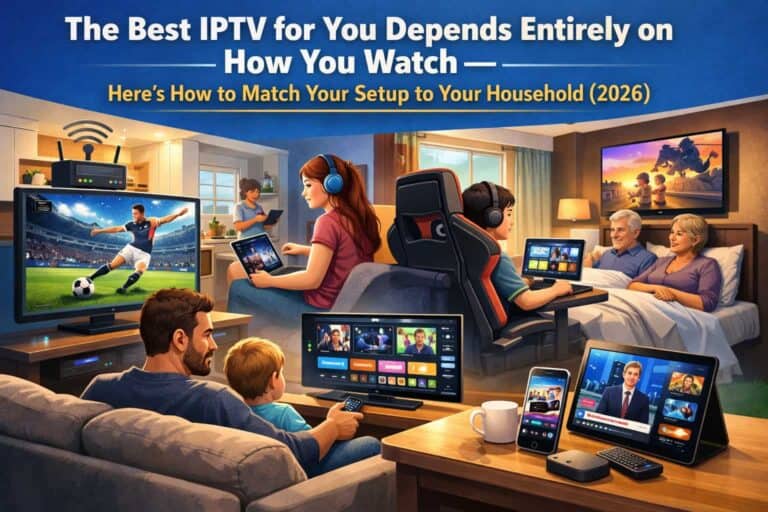
There’s no single “best IPTV” that suits everyone. Anyone telling you otherwise is selling something. The lad who watches nothing but Premier League and GAA has completely different needs from the family with three kids and a Disney obsession, who in turn want something different from the Irish emigrant in Sydney trying to catch the Six One News at breakfast.
That’s the thing most IPTV guides miss. They rank providers in a generic “top 10” list as if a single ranking could possibly suit a sports-mad bachelor in Cork, a young family in Galway, a retired couple in Donegal, and an expat in Boston all at once. It can’t. The best IPTV for you is the one that fits how you actually watch television.
So instead of pretending there’s one perfect answer, this guide does something different. It breaks Irish viewers into the real categories that exist, and shows you exactly what the best IPTV setup looks like for each one — the right plan, the right device, the right app, and the right features. Find yourself in the list below, and you’ll know precisely what you need.
First, the Universal Truths
Before getting into specific viewer types, a few things apply to everyone regardless of how you watch. These are the non-negotiables that any quality IPTV service should deliver.
- Reliable peak-hour streaming — it has to work at 9pm on a Saturday, not just at lunchtime on a Tuesday
- Built-in VPN — to beat ISP throttling that affects Eir and Virgin Media customers during evening hours
- Every Irish and UK channel — RTÉ, TG4, Virgin Media, BBC, ITV, Channel 4, Sky as standard
- 24/7 WhatsApp support — real people responding in minutes when something goes wrong
- No contracts — pay for your term, renew if you want, walk away if you don’t
- Secure payment — PayPal or card with buyer protection, never crypto-only
If a provider can’t deliver these basics, it’s not the best IPTV for anyone, regardless of viewing style. Now let’s match the right setup to the right person.
The Sports Fanatic

You know who you are. Your weekend revolves around fixtures. You have opinions about VAR. You know exactly when the next big UFC card is. You’d rather miss your own birthday than the All-Ireland final.
What you need: Complete sports coverage with zero gaps. The best IPTV for you includes every Sky Sports channel, every TNT Sports channel, GAA across RTÉ/Sky/TG4, international feeds for the 3pm Saturday Premier League blackout matches, plus UFC and boxing PPV events at no extra cost. The sports lineup is the whole point, so it has to be comprehensive.
Best plan: The 12-month plan at €49.99. You’re watching year-round — football season, GAA championship summer, Six Nations, F1 from March to December. The annual plan gives you the lowest per-month cost (€4.17) for what amounts to daily use.
Best device: Amazon Firestick 4K Max (€55–65). The faster processor handles high-bitrate sports streams without lag, and the better Wi-Fi keeps the connection stable during fast-paced action. If you have a 2022+ Smart TV, run it directly — but for sports specifically, the Firestick 4K Max is worth the investment.
Best app: TiviMate Premium (€15/year). The fast channel switching matters enormously when you’re flipping between three matches on a Saturday afternoon. The 1–2 second switching beats the standard 3–5 seconds, which adds up over a day of multi-match viewing.
The killer feature for you: Access to 3pm Saturday Premier League matches that Sky Ireland can’t show due to the UK blackout. Twenty-plus Saturdays a year where you’d otherwise miss your team — now covered. This alone makes IPTV the best choice for serious football fans. Our summer sports guide covers the full calendar.
The Family Household
Two adults, two or three kids, different tastes, constant negotiation over the remote. Mam wants her series, Dad wants the match, the kids want cartoons, and somehow everyone needs to be entertained without World War Three breaking out over the TV.
What you need: Breadth across every category. The best IPTV for a family covers kids’ channels (CBeebies, Cartoon Network, Nickelodeon, Disney Channel), a massive on-demand library for family movie nights, sports for the adults, and ideally multi-device support so different family members can watch different things in different rooms.
Best plan: The 12-month plan at €49.99, with multi-connection options if you need simultaneous streaming on multiple screens. For a busy family where the kids watch upstairs while parents watch downstairs, ask about adding extra connections at a discounted rate.
Best device: A mix. A Firestick 4K on the main sitting room TV, plus Firestick Lites (€30–35) on the kids’ TVs and bedroom screens. You don’t need premium 4K devices in every room — the kids watching cartoons in HD won’t notice the difference.
Best app: IBO Player Pro for the parental controls. The PIN-based channel locking lets you restrict access to adult content and keep the kids’ devices limited to children’s channels. For families, this feature alone makes it worth choosing over apps without parental controls.
The killer feature for you: Hundreds of kids’ channels plus a 60,000-title on-demand library means you’ll never again spend 40 minutes scrolling Netflix trying to find something everyone agrees on. Our families guide covers multi-room setup and child safety in detail.
The Film Buff
You don’t care much about live TV. You’re here for the movies. You’ve seen everything on Netflix twice. You want depth, variety, and ideally content that the mainstream streaming services don’t carry — international cinema, classic films, the kind of stuff that disappears from Netflix after three months.
What you need: A massive, well-maintained on-demand library with genuine depth. The best IPTV for you isn’t about channel count — it’s about the VOD section. You want 60,000+ titles spanning every genre, regular updates with new releases, and crucially, international cinema that mainstream services don’t offer.
Best plan: The 12-month plan at €49.99. You’ll explore the library extensively over time, so the annual plan makes sense. The per-month cost is negligible for what amounts to a film library larger than every mainstream streaming service combined.
Best device: Whatever connects to your best screen. If you have a 4K OLED TV, use a Firestick 4K Max or run IPTV directly on the TV to get the full benefit of the picture quality. Film buffs care about image quality, so prioritise 4K capability and pair it with a decent soundbar.
Best app: TiviMate or IBO Player Pro — both have better on-demand browsing interfaces than the basic apps. Browsing a 60,000-title library is far more pleasant with a polished interface that shows artwork and lets you filter by genre and language.
The killer feature for you: The international cinema section. Korean thrillers, French crime films, Scandinavian noir, Spanish-language drama, Japanese animation — content that vanishes from Netflix Ireland or never arrives at all. Our bingeing guide has specific recommendations for digging into the library.
The Cord-Cutter Saving Money
You’re not a TV obsessive. You just resent paying €95 a month to Sky for channels you barely watch. You want decent television — the main Irish and UK channels, some sport, a few films — without the eye-watering bill and the 18-month contract.
What you need: Value, simplicity, and the core channels. The best IPTV for you doesn’t need to be the most feature-packed — it needs to cover RTÉ, BBC, ITV, the main sports, and a reasonable on-demand selection, at a price that makes Sky look ridiculous by comparison.
Best plan: Honestly, any of them work, but the 12-month plan at €49.99 delivers the biggest savings. Compared to Sky’s €95+ monthly, you’re saving over €1,000 a year. If you want to test the waters first, the 1-month plan at €14.99 lets you confirm it suits you before committing.
Best device: Your existing Smart TV if it’s from 2019 or later — no need to buy anything. If your TV is older, a Firestick Lite at €30–35 is the cheapest route to a smart setup. Minimal spend for maximum saving.
Best app: IPTV Smarters Pro — free, reliable, does everything you need without any fuss or additional cost. For a value-focused viewer, paying for a premium app makes little sense when the free option works perfectly well.
The killer feature for you: The maths. €49.99 a year versus €1,140+ for Sky. That’s over €1,000 back in your pocket annually for comparable (actually superior) content. Our cost breakdown shows exactly how much you save based on your current setup.
The Irish Expat Abroad
You’re in London, Sydney, Toronto, Dubai, or anywhere the Irish diaspora has scattered. You miss home. You want RTÉ, you want GAA, you want to feel connected to what’s happening in Ireland rather than relying on dodgy streams that cut out during the All-Ireland final.
What you need: Reliable access to Irish channels from anywhere in the world. The best IPTV for an expat includes RTÉ One, RTÉ2, TG4, Virgin Media, and full GAA coverage — all working reliably regardless of which country you’re streaming from, without the geo-blocking headaches of RTÉ Player.
Best plan: The 12-month plan at €49.99. You’re settling in abroad for the long haul, and the annual plan gives you a full year of Irish television for less than the cost of a few pints in most expat cities.
Best device: Whatever’s available locally. Amazon Firestick is sold in virtually every country, or use your existing Smart TV, phone, or laptop. The service works identically regardless of location.
Best app: IPTV Smarters Pro for reliability across platforms, or IBO Player Pro on iOS. Set up a favourites list with your most-watched Irish channels at the top for quick access.
The killer feature for you: Comprehensive GAA coverage that beats GAAGO. Every championship match across RTÉ, Sky Sports, and TG4 — more than GAAGO’s €79/year offering, for less money, plus 18,000 other channels. Our expat guide covers time zones and country-specific setup.
The Elderly or Non-Technical Viewer
Maybe this is you, or maybe you’re setting up IPTV for a parent or grandparent. The priority is simplicity. They want their handful of channels — RTÉ, the news, maybe BBC — without complicated menus or anything that requires technical confidence.
What you need: Simplicity above all else. The best IPTV setup for a non-technical viewer is one that’s been configured properly in advance, with a short favourites list and an interface as close to a normal TV remote experience as possible.
Best plan: The 12-month plan at €49.99 eliminates the worry of monthly payments and renewals — set it up once and it’s sorted for a year.
Best device: Amazon Firestick with the Alexa voice remote. The voice search (“Open IPTV”) means they don’t need to navigate menus, and the simple remote with few buttons is far easier than the old Sky remote with its fifty buttons.
Best app: IPTV Smarters Pro, pre-configured with a short favourites list containing only the channels they actually watch — RTÉ One, RTÉ2, TG4, BBC One, and a few others. Teach them to use the favourites section and nothing else.
The killer feature for you: Once set up, it’s genuinely simpler than Sky. A short favourites list and voice search make it accessible even for viewers who struggle with technology. Our WhatsApp support team is patient and experienced with non-technical users if remote setup help is needed.
The Multi-Tasker Who Watches Everywhere
You watch on your phone during the commute, on your tablet at lunch, on the TV in the evening, and on your laptop when you’re working from home with the match on in the corner of the screen. You want flexibility above all.
What you need: Seamless multi-device support. The best IPTV for you works identically across every device, with credentials that you can use on your phone, tablet, laptop, and TV without any hassle.
Best plan: The 12-month plan, with consideration for a multi-connection upgrade if you want to stream on multiple devices simultaneously rather than one at a time.
Best device: All of them. Your iPhone, your iPad, your laptop, and a Firestick on the main TV. The beauty of IPTV is that one subscription covers every screen you own.
Best app: IPTV Smarters Pro across Android and iOS for consistency, or GSE Smart IPTV on iOS if you want Chromecast casting capability. Our apps guide compares every option.
The killer feature for you: Watch live TV anywhere with an internet connection — the match on your phone on the bus, your series on the tablet in bed, the news on the laptop while you work. One subscription, every device, total flexibility.
How to Use This Guide
Found yourself in the list above? Most people recognise themselves in one or two categories — maybe you’re primarily a sports fanatic but also a family household, or a cord-cutter who’s also an occasional film buff. That’s fine. The good news is that a single quality IPTV subscription covers all of these use cases simultaneously.
The categories aren’t about choosing different services — they’re about understanding what to prioritise when you set up. A sports fanatic should invest in TiviMate and a Firestick 4K Max. A family should prioritise parental controls and multi-room devices. A cord-cutter should keep it simple and cheap. But all of them are served by the same underlying service — the difference is in how you configure it.
That’s what makes a comprehensive IPTV subscription the best IPTV choice across the board: it adapts to whatever kind of viewer you are. Sky forces you into their structure. IPTV lets you build the setup that suits your actual life.
Getting Started With the Right Setup for You
Whatever viewer type you are, the starting point is the same. Visit our IPTV Subscription page to choose your plan — the 12-month plan at €49.99 is the best value for almost everyone, while the 1-month plan at €14.99 lets you test first if you’re uncertain.
Message our WhatsApp team and tell us how you watch — sports obsessive, family household, expat, whatever fits. We’ll recommend the right device, the right app, and help you configure the setup that suits your viewing style. We do this dozens of times a day and we’re happy to give honest advice tailored to your situation.
For specific guidance, check our device guide, Firestick and Smart TV setup guide, or apps comparison. For broadband advice, see our Irish broadband guide. For any questions, visit our contact page or read our Terms & Conditions.
The best IPTV isn’t a single product — it’s the right configuration for how you actually watch. Now you know which one is yours.
Frequently Asked Questions — Best IPTV for Your Viewing Style
Q: Is there one best IPTV service that suits everyone? A: Not exactly. The best IPTV service is one that adapts to your viewing style. A single quality subscription covers sports fans, families, film buffs, expats, and cord-cutters — but the ideal device, app, and configuration differ depending on how you watch. The underlying service is the same; the setup is what you tailor.
Q: What’s the best IPTV setup for a serious sports fan? A: The 12-month plan for year-round value, a Firestick 4K Max for stable high-bitrate streaming, and TiviMate Premium for fast channel switching between multiple matches. The key feature is access to every sports channel plus the 3pm Saturday Premier League matches that Sky Ireland can’t broadcast.
Q: Which IPTV app is best for families with kids? A: IBO Player Pro, because of its built-in PIN-based parental controls. This lets you restrict adult content and limit children’s devices to kids’ channels only — a feature most IPTV apps lack. Combined with hundreds of kids’ channels, it’s the best choice for family households.
Q: What’s the best IPTV option for an Irish person living abroad? A: A 12-month subscription accessed through any local device (Firestick, Smart TV, phone). It provides reliable access to RTÉ, TG4, and full GAA coverage from anywhere in the world — more comprehensive than GAAGO at a lower price, plus 18,000 other channels. The built-in VPN ensures consistent access regardless of country.
Q: Can one IPTV subscription cover a whole household with different tastes? A: Yes. A single subscription includes sports, kids’ channels, films, Irish and UK channels, and international content — covering every family member’s preferences. For simultaneous viewing on multiple screens (different people watching different things at once), you can add extra connections at a discounted rate. One subscription genuinely serves an entire household.